


How to Configure Meeting Booking Settings
The meeting booking process in AcceleratorApp offers administrators complete control over how founders interact with your community when scheduling sessions. This feature resolves the common challenge of uncoordinated or unauthorized scheduling by allowing you to decide whether founders can book meetings globally or if they must be strictly restricted to their officially assigned mentors, experts, or coaches.
By defining these boundaries, you ensure your organization maintains a structured mentoring environment while preventing mentor burnout and optimizing collaborative networking based on your specific program needs.
Where to Find Mentor Matching Settings
To set up this permission:
- Navigate to the General Settings in the sidebar menu.
- Select Mentor Matching Settings from the available options.
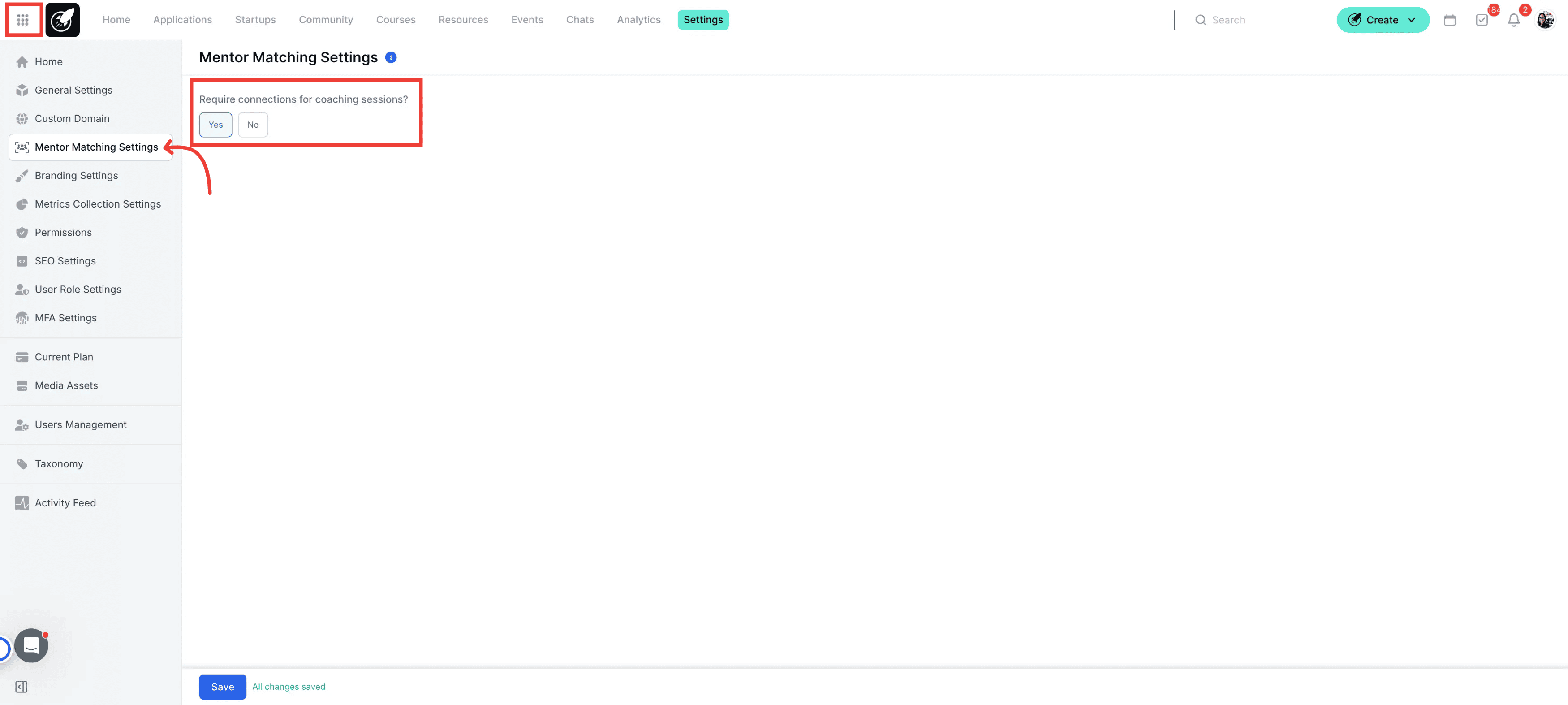
Step-by-Step
1. Access to Mentor Matching Settings
Click on the menu icon in the sidebar and select General Settings and select the tab Mentor Matching Settings.
2. Configure the Connection Requirement
Locate the question "Require Connections for Coaching Sessions?" and select your preferred restriction:
To allow open booking: Leave this setting disabled to let founders book meetings with any user in the community.
To restrict booking: Enable this setting to limit meeting bookings exclusively to mentors, coaches, or experts actively assigned to the founder.
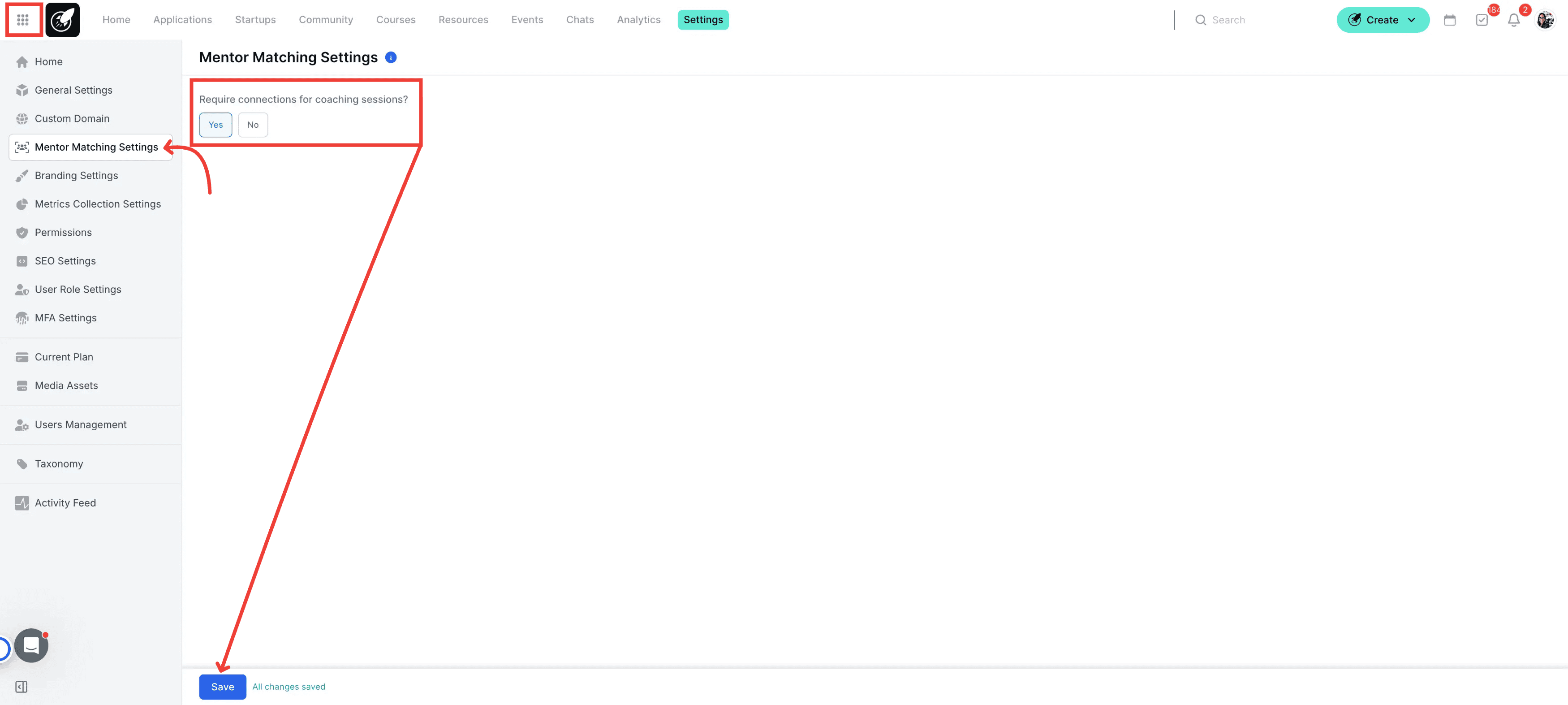
3. Save Your Changes
Click the Save button to apply the new booking permissions across your community.
Best Practices
For strict 1-on-1 cohorts: Enable the connection requirement to protect your mentors' time and ensure founders only book with their designated matches.
For networking-heavy programs: Disable the connection requirement to encourage organic community engagement, allowing founders to seamlessly connect with a wider pool of experts.
Remember to communicate changes: If you alter this setting mid-cohort, send a quick update to your founders so they understand why their booking access has changed.